
Home » REGISTER

Register Your BD999 Account in Minutes on Mobile
Quick registration built for BD mobile users with trust-first checks
Start your BD999 sign up with a clean, fast form built for phones. Use your mobile number, confirm with OTP, and set a strong password. Your details stay private and are protected by industry-standard security.
Real-name verification supports payout safety and account recovery. For the fastest access, always enter the same name you use on payments and visit the BD999 Main Site to begin.
Why registering at BD999 saves time and unlocks features for local players
Create once, then enjoy quicker logins, member-only promos, and tools that keep play in your control.
Verified profiles build payout trust
Match your profile name with your payment name to reduce payout holds and speed up reviews.
Faster mobile login and one-tap play
Save your device and use quick login for rapid access to the BD999 official site and BD999 app features.
Member-only bonuses and app tools
Registered users get targeted BD999 bonus offers, bet builders, and notifications that fit their play style.
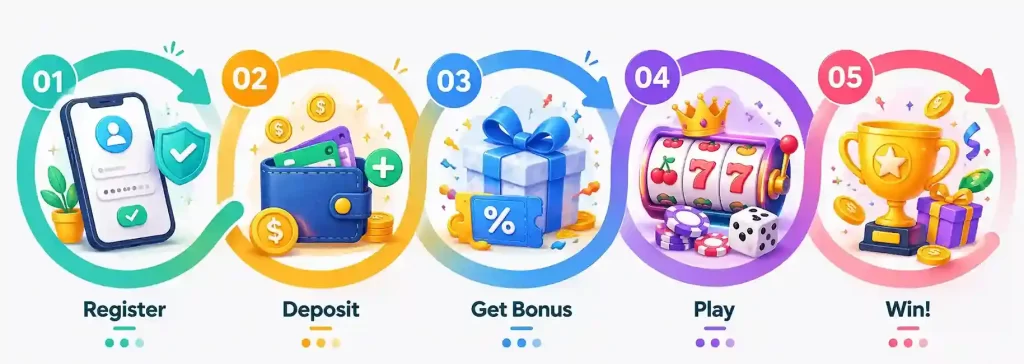
Step-by-step to open your BD999 new account on your phone
- Go to the BD999 official site on your phone browser or open the BD999 app.
- Tap Register and enter your mobile number and email for verification.
- Enter the OTP sent by SMS, then create a strong, unique password.
- Fill basic details exactly as on your ID to support payouts later.
- Agree that you are 18+ and accept the terms; submit the form.
- Optional: add a referral code if you have one, then finish.
Smart account setup tips for secure profiles and payout readiness in BD
- Use your real name exactly as shown on your mobile wallet or bank.
- Create a long password with mixed characters; never reuse old passwords.
- Enable two-factor authentication and set a PIN for quick, safe access.
- Verify early with a clear ID photo to prevent delays later.
- Set deposit limits and reminders that match your monthly budget.
- Turn on alerts for cricket updates and preferred JILI game launches.
- Save your device only on private phones; avoid public Wi‑Fi for login.
Install updates from the BD999 App Download page to keep security patches current.
BD999 registration FAQs for quick answers before your first login
What do I need to create my BD999 account?
A mobile number, email, and your real name as on your ID. Keep your phone ready for OTP verification.
Why must my profile name match my payment name?
Name-match helps prevent fraud and allows faster reviews on withdrawals and account recovery.
How long does verification usually take?
Most basic checks finish within minutes after OTP. If ID review is required, it can take a short while.
I did not receive my OTP. What should I do?
Check signal and SMS inbox, then request a new code. If delayed, restart your phone or try email verification.
Can I change my number after registration?
Yes. Update it in profile settings after confirming ownership with an OTP and valid ID if requested.
Ready to create your account and play with trusted local support
Register now to lock in faster mobile access, verified payouts, and member tools built for BD users. Set your limits and enjoy cricket and JILI on the go.
Your new account takes minutes. Start with a quick form, confirm by OTP, and you are ready to play responsibly with local help when needed.